 Skip to content



Productparameters:
bluetooth-versie: 5.0 + EDR
Werkafstand: Over 8M
Voedingsmodus: USB DC5V
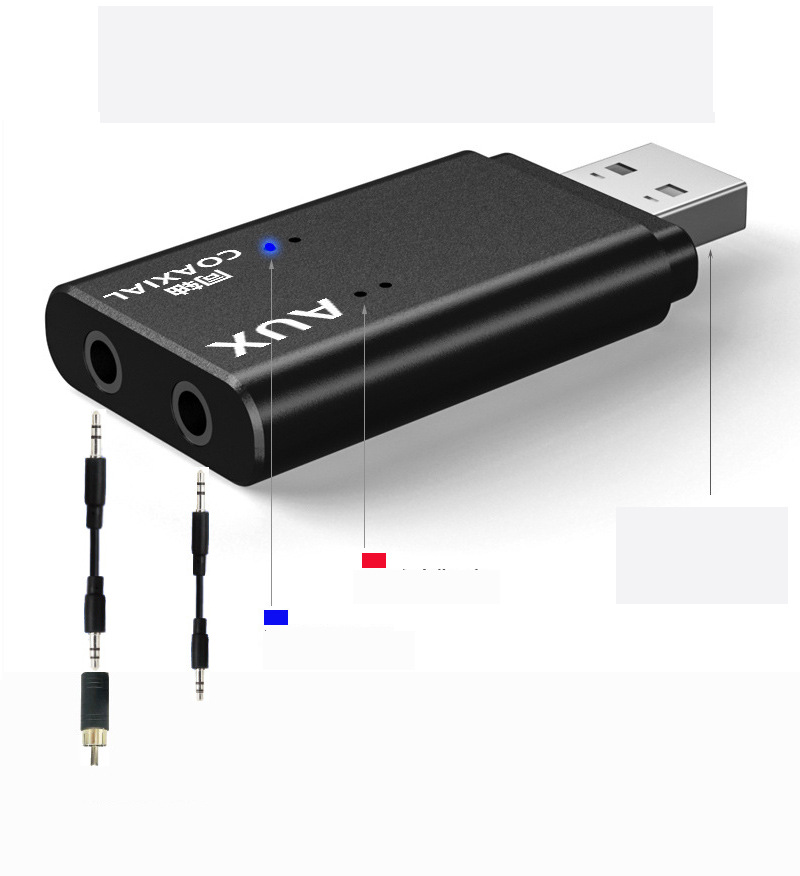
Audio-invoerinterface: 3,5 mm AUX / Coaxiaal / USB
Productgebruik:
TV coaxiaal gebruik:
1. Sluit de audiokabel aan één uiteinde aan op de coaxiale adapter en vervolgens op de coaxiale audio-uitgangspoort van
theTV, and plug the other end of the audio cable into the coaxialinterface of the transmitter.
2. USB-voeding: mobiele telefoon oplader / TV USB / Computer USB enz
3.Plug the TX11-C into the USB 5V charging port( Phone charger/Mobile power / TV USB / PC USB )
4. Nadat de TX11-C is ingeschakeld en de blauwe LED knippert, geeft dit aan dat het opstarten van het product is voltooid
and hasentered the search pairing state.
5. Schakel de Bluetooth-audio / oortelefoon in en voer de pairablestate in, wachtend op de TX11-C om automatisch te koppelen.
After the pairing is successful, the blue LED light is always on.5,set the audio output of the TV, different TV settings will be different.
Millet TV: Instellingen - Uitvoerapparaten - SPIDFLeTV: Instellingen - Geluid - Luidsprekers Externe luidsprekers Scherpe tv: Instellingen -
Digital Audio Output - PCM16Samsung TV: Settings - Output Settings - External SpeakersMore TV settings are in the collection...
Installatie computergebruik:
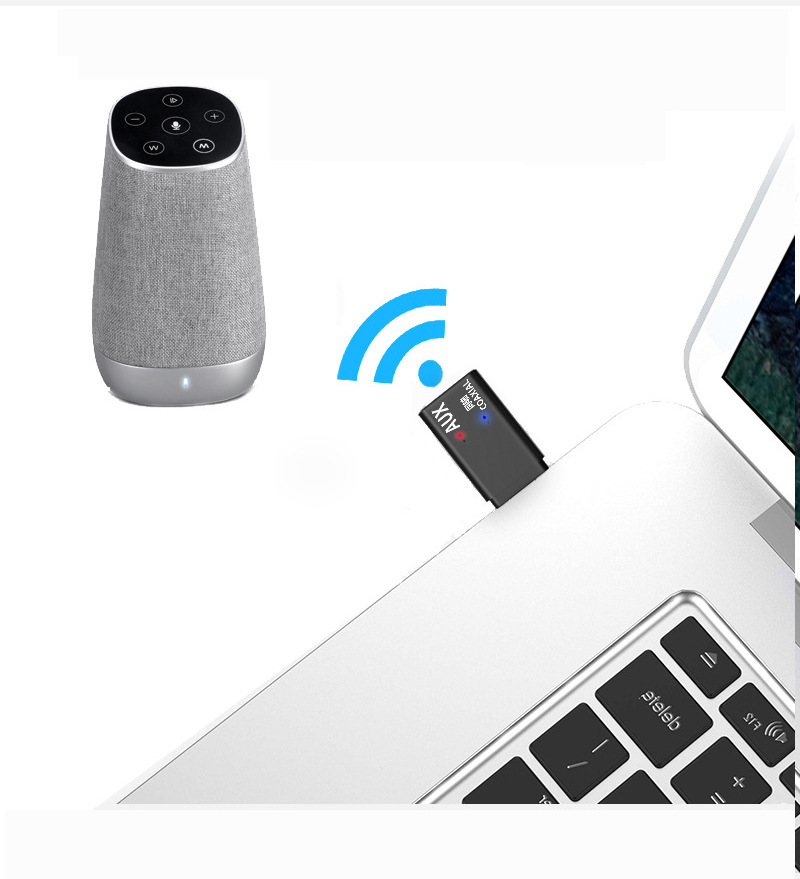
1. Steek de TX11-C in de USB van de computer, LED rood en blauw knipperend.
2. Turn on the bluetooth headset or bluetooth stereo, and enterthe pairing status.
3. Wacht tot de TX11-C de Bluetooth-headset of stereo automatisch koppelt. Tijdens dit proces wordt de computer gebruikt
does not need any operation (the computer does not recognizethe transmitter when it is not paired, and the computer
herkent de zender automatisch nadat het koppelen is voltooid).
4. When the TX11-C and bluetooth headset or audio pairing is successful, the red and blue LED will be always on.
5. Als er na het koppelen geen geluid is, moet u het standaarduitvoerapparaat van de computer instellen (zoals weergegeven in Afbeelding 2 WIN10).
TV AUX hoofdtelefoongebruik:
USB-voeding: oplader voor mobiele telefoon / tv USB / computer USB enz
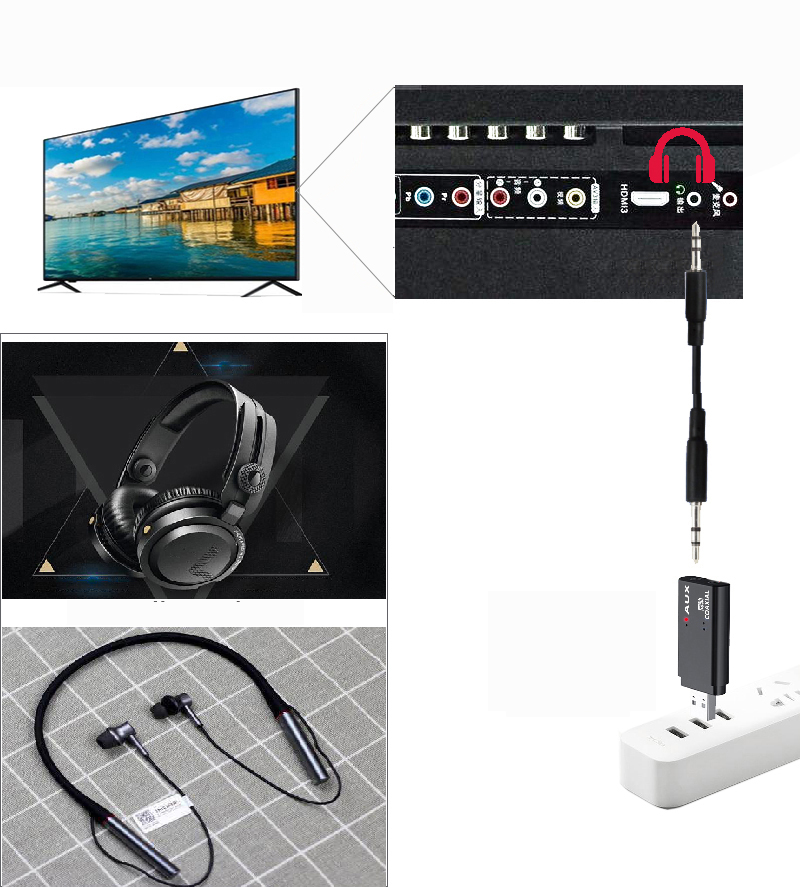
1. Plug the audio cable into the AUX audio port of the TX11-Cand plug the other end into the 3.5MM audio output
poort van de TV / MP3 / MP4. Sluit de TX11-C aan op de USB-interface (mobiele oplader / mobiele Power / TV USB / computer USB, etc.)
2.Turn off the phone's bluetooth function (to prevent back connection)turn on the bluetooth speaker or headset,and
betreed de pairable sta
3.Waiting for TX11-C to automatically search for a pairable receivingdevice, if Pairing is successful. The red LED of
TX11S is altijd aan.
4. set the audio output interface of the TV, usually:Settings--sound--output device--headphon
Notitie:
1. Verschillende tv's kunnen anders worden ingesteld.
2. Er zijn drie invoermodi, er kan er slechts één tegelijkertijd worden gebruikt.
3. Prioriteit: Aux / Coaxiaal / USB, bij gebruik van USB / coaxiale functie, kan USB alleen de rol van voeding spelen
FAQ:
--Why does the indicator light not respond when the power is turned on?
A. Bevestig of het apparaat volledig in de USB-voedingspoort is geplaatst.
B.Please confirm whether the USB power supply port is working properly
C.Als de installatie correct is, is de USB-voeding normaal, controleer of de TX11-C los is
--Why is the device booting completed. But the pairing is not successful?
A. Controleer of de Bluetooth-headset of -luidspreker is ingeschakeld en in de koppelingsmodus is gekomen (raadpleeg de bijbehorende handleiding).
B.TX11-C is too far from the bluetooth receiving device, it is recommended to be within1 meter.
C. Controleer of het ontvangende apparaat weer is verbonden met de mobiele telefoon of een ander apparaat en ontkoppel de verbinding
D.Some bluetooth headsets require a pairing password. This device does not supportpassword pairing.
- Waarom is er geen geluid nadat het apparaat is gekoppeld?
A. Please confirm that the audio input line is installed correctly.
B.Controleer of de audio-uitvoerinterface van de tv correct is ingesteld.
C. Please confirm whether the sound output device is turned on. The volume has beenadjusted to a reasonable size.
D. Sluit de zender opnieuw aan
--why is it normal on the computer, MP3, and there is no sound on the TV?
A. Omdat de tv-interface ingewikkelder is, moet u controleren of de audio-uitvoerpoort van de tv correct wordt gebruikt.
B. Raadpleeg de handleiding van de tv om te weten of de audio-uitvoerpoort van de tv moet worden ingesteld.
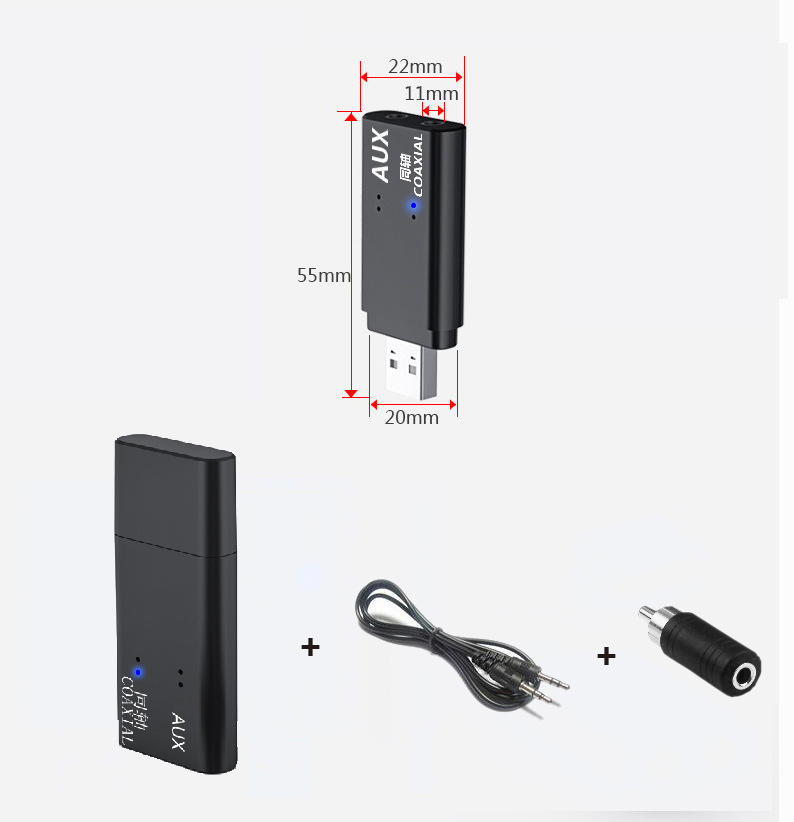
Pakket inbegrepen:
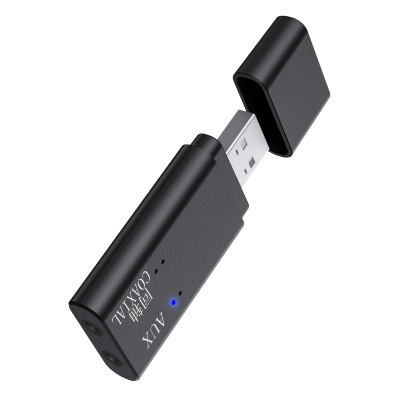
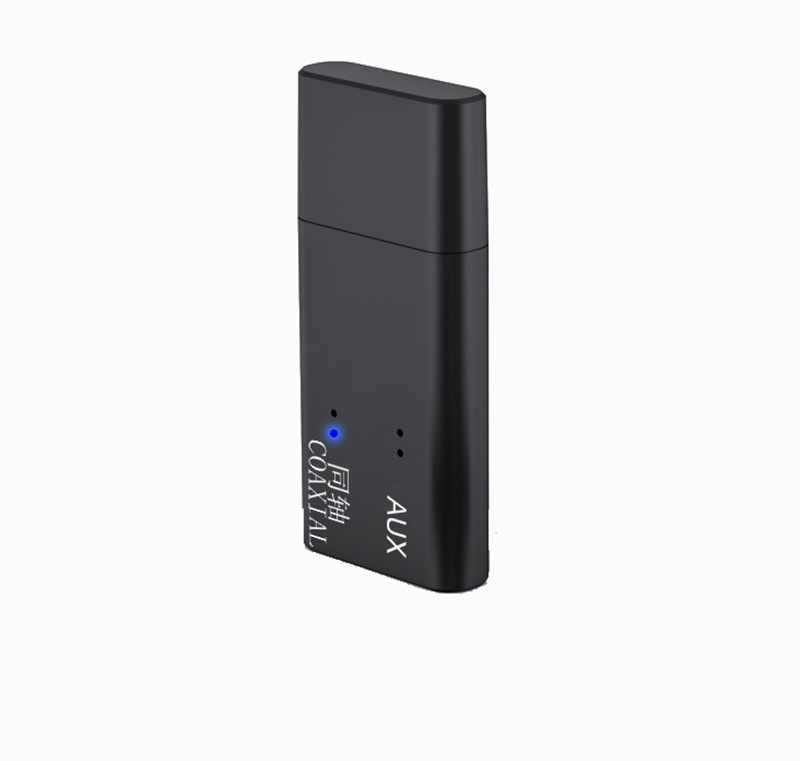
1. bluetooth audio transmitter
2. 3,5 MM audiokabel
3. Coaxial adapter
4. De handleiding
bluetooth-versie: 5.0 + EDR
Werkafstand: Over 8M
Voedingsmodus: USB DC5V
Audio-invoerinterface: 3,5 mm AUX / Coaxiaal / USB
Productgebruik:
TV coaxiaal gebruik:
1. Sluit de audiokabel aan één uiteinde aan op de coaxiale adapter en vervolgens op de coaxiale audio-uitgangspoort van
theTV, and plug the other end of the audio cable into the coaxialinterface of the transmitter.
2. USB-voeding: mobiele telefoon oplader / TV USB / Computer USB enz
3.Plug the TX11-C into the USB 5V charging port( Phone charger/Mobile power / TV USB / PC USB )
4. Nadat de TX11-C is ingeschakeld en de blauwe LED knippert, geeft dit aan dat het opstarten van het product is voltooid
and hasentered the search pairing state.
5. Schakel de Bluetooth-audio / oortelefoon in en voer de pairablestate in, wachtend op de TX11-C om automatisch te koppelen.
After the pairing is successful, the blue LED light is always on.5,set the audio output of the TV, different TV settings will be different.
Millet TV: Instellingen - Uitvoerapparaten - SPIDFLeTV: Instellingen - Geluid - Luidsprekers Externe luidsprekers Scherpe tv: Instellingen -
Digital Audio Output - PCM16Samsung TV: Settings - Output Settings - External SpeakersMore TV settings are in the collection...
Installatie computergebruik:
1. Steek de TX11-C in de USB van de computer, LED rood en blauw knipperend.
2. Turn on the bluetooth headset or bluetooth stereo, and enterthe pairing status.
3. Wacht tot de TX11-C de Bluetooth-headset of stereo automatisch koppelt. Tijdens dit proces wordt de computer gebruikt
does not need any operation (the computer does not recognizethe transmitter when it is not paired, and the computer
herkent de zender automatisch nadat het koppelen is voltooid).
4. When the TX11-C and bluetooth headset or audio pairing is successful, the red and blue LED will be always on.
5. Als er na het koppelen geen geluid is, moet u het standaarduitvoerapparaat van de computer instellen (zoals weergegeven in Afbeelding 2 WIN10).
TV AUX hoofdtelefoongebruik:
USB-voeding: oplader voor mobiele telefoon / tv USB / computer USB enz
1. Plug the audio cable into the AUX audio port of the TX11-Cand plug the other end into the 3.5MM audio output
poort van de TV / MP3 / MP4. Sluit de TX11-C aan op de USB-interface (mobiele oplader / mobiele Power / TV USB / computer USB, etc.)
2.Turn off the phone's bluetooth function (to prevent back connection)turn on the bluetooth speaker or headset,and
betreed de pairable sta
3.Waiting for TX11-C to automatically search for a pairable receivingdevice, if Pairing is successful. The red LED of
TX11S is altijd aan.
4. set the audio output interface of the TV, usually:Settings--sound--output device--headphon
Notitie:
1. Verschillende tv's kunnen anders worden ingesteld.
2. Er zijn drie invoermodi, er kan er slechts één tegelijkertijd worden gebruikt.
3. Prioriteit: Aux / Coaxiaal / USB, bij gebruik van USB / coaxiale functie, kan USB alleen de rol van voeding spelen
FAQ:
--Why does the indicator light not respond when the power is turned on?
A. Bevestig of het apparaat volledig in de USB-voedingspoort is geplaatst.
B.Please confirm whether the USB power supply port is working properly
C.Als de installatie correct is, is de USB-voeding normaal, controleer of de TX11-C los is
--Why is the device booting completed. But the pairing is not successful?
A. Controleer of de Bluetooth-headset of -luidspreker is ingeschakeld en in de koppelingsmodus is gekomen (raadpleeg de bijbehorende handleiding).
B.TX11-C is too far from the bluetooth receiving device, it is recommended to be within1 meter.
C. Controleer of het ontvangende apparaat weer is verbonden met de mobiele telefoon of een ander apparaat en ontkoppel de verbinding
D.Some bluetooth headsets require a pairing password. This device does not supportpassword pairing.
- Waarom is er geen geluid nadat het apparaat is gekoppeld?
A. Please confirm that the audio input line is installed correctly.
B.Controleer of de audio-uitvoerinterface van de tv correct is ingesteld.
C. Please confirm whether the sound output device is turned on. The volume has beenadjusted to a reasonable size.
D. Sluit de zender opnieuw aan
--why is it normal on the computer, MP3, and there is no sound on the TV?
A. Omdat de tv-interface ingewikkelder is, moet u controleren of de audio-uitvoerpoort van de tv correct wordt gebruikt.
B. Raadpleeg de handleiding van de tv om te weten of de audio-uitvoerpoort van de tv moet worden ingesteld.
Pakket inbegrepen:
1. bluetooth audio transmitter
2. 3,5 MM audiokabel
3. Coaxial adapter
4. De handleiding
